Make something cool
Jack K. Williams Library, Room 114
(409) 740-4970
studio@tamug.edu
@tamug_studio
Fall 2026 Open Hours
Sunday: 1 - 9 pm
Monday: 4 - 9 pm
Tuesday: 1 - 9 pm
Wednesday: 4 - 9 pm
Thursday: 1 - 9 pm
Friday: 10 am - 5 pm
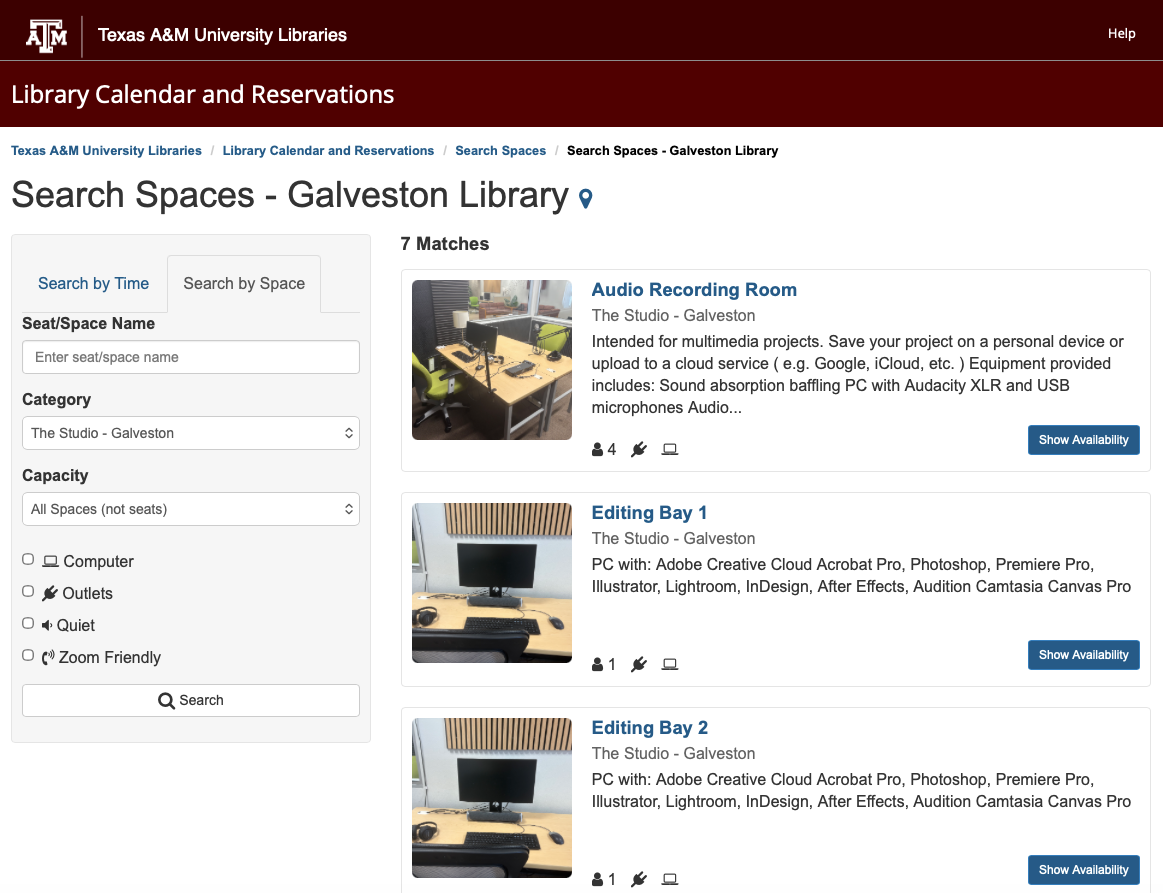
Reserve a space in the Studio using the Library space reservation system.
How to Reserve a Space
- Click Reserve a Studio Space below or the screenshot above.
- Click Show Availability for the desired space/equipment.
- Note: The default view is today's availability. To view all available times for the next 7 days, select Week View in the top-right corner.
- Select a desired, available reservation time.
- Note: The selected reservation time appear as yellow with checkmarks.
- To confirm the reservation, scroll to the bottom of the page and click Submit Times.
- Note: The default reservation length is 1 hour. To change to 30 minutes, open the dropdown menu.
- Finish booking by entering your first name, last name, and email in the form. Click Submit My Booking.
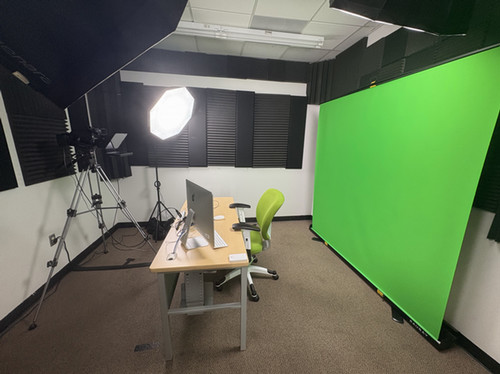
Video Recording Room
This Video Recording Room holds 1-2 people and equipped with the following.
- Green screen
- Key, fill, and hair lights
- Sound absorption baffling
- Sony Camcorder
- USB microphones, including 2 wireless lavalier mics
- Elgato teleprompter
- OBS Studio
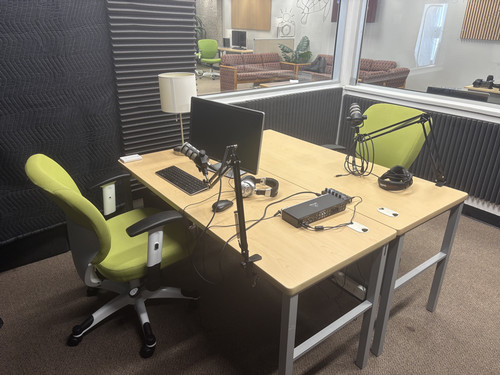
Audio Recording Room
We have a room equipped with sound reduction insulation that reduces ambient and acoustical noise. This space can be used for a variety of audio recording purposes, including podcasting, music, and screencasting.
The room holds 1-4 people and is equipped with the following.
- A PC
- XLR and USB microphones
- Audio interface with up to 4 inputs
- Headphone amp for multiple people to monitor audio
- Audacity
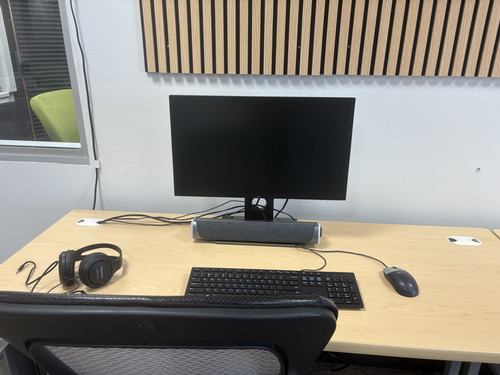
Editing Bays
We have 4 PCs with access to specialized software and equipment to help you develop multimedia presentations, projects, and portfolios.
- Adobe Creative Cloud Suite
- Camtasia
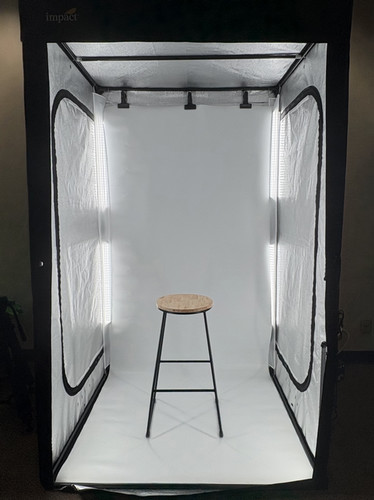
LED Photo Booth
This 6.7’ x 4.1’ x 3.5’ photo booth allows you to create professional shadowless images for large products, apparel, and portraits.
The Studio offers in-person consultations on speech presentations. We can help with brainstorming, drafting, organizing, presenting, and practicing.
Fall 2026 Hours
- Sunday: 4 - 9 pm
- Monday: 6:30 - 9 pm
- Tuesday: 5 - 6 pm
- Wednesday: 6:30 - 9 pm
- Friday: 10 am - 1 pm
How to Schedule an Appointment
- Click Schedule an Appointment below to go to our WCONLINE site.
- Click Log In.
- Complete the TAMU NetID authentication process.
- Fill out the New Client form with your email, first and last name, program of study, and classification. Copy-paste the auto-generated password or create your own. Select your email preferences. Click Add New Client.
- In the schedule view, select Show All 'Limit to:' Options and select Public Speaking Only from the dropdown menu.
- Select your desired day and time.
Schedule an Appointment
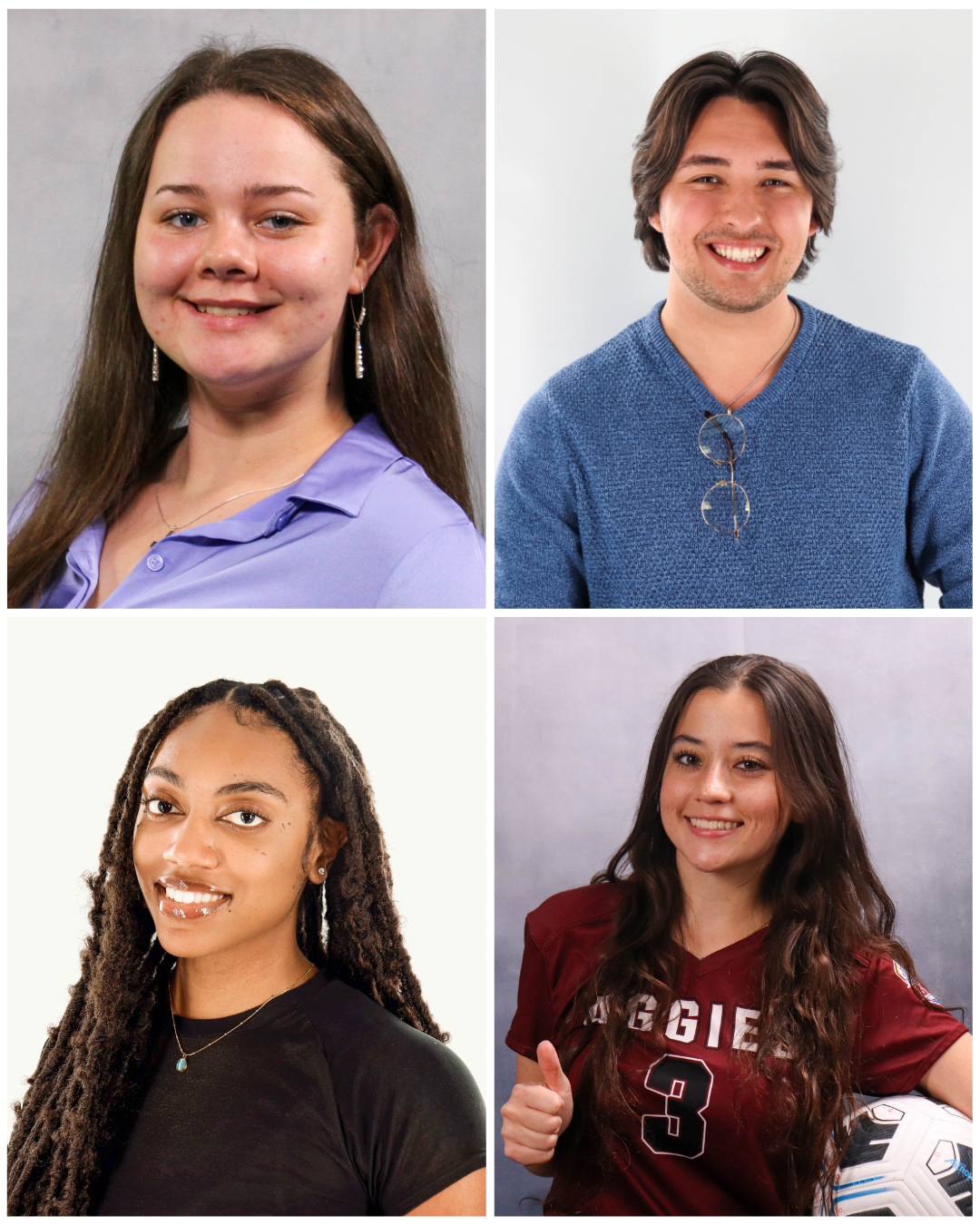
Book a 30-minute reservation to take professional headshots for your resume, website, LinkedIn, etc. Headshots are taken and edited in Adobe Lightroom by an AV Tech. We have an LED Photo Booth and multiple backdrops available with traditional studio lighting.
To request on-location headshots at an event on campus, email us at studio@tamug.edu.
How to Make a Reservation
- Click Make a Reservation below.
- Select a desired, available time.
- Note: The default view is today's availability. To view all available times for the next 7 days, select Week View in the top-right corner.
- Note: The selected reservation time appear as yellow with checkmarks.
- To confirm the reservation, scroll to the bottom of the page and click Submit Times.
- Finish booking by entering your first name, last name, and email in the form.
- Click Submit My Booking.
- Note: LibCal will send you a confirmation email.
The Studio provides specialized services and tools for creating and editing graphics, video, audio, and multimedia projects. Our goal is to provide the Texas A&M University at Galveston community with multimedia tools, expert assistance, and educational programming to support the creation of media-enriched instructional projects.










@pelagicperspectives
281-740-1308
Kaitlyn Harvey's Portfolio
@arielsorigin
arielmpoyi78@gmail.com
Ariel Mpoyi's Portfolio
@sanni_lyx
(682) 414-3060
Sansan Ly's Portfolio